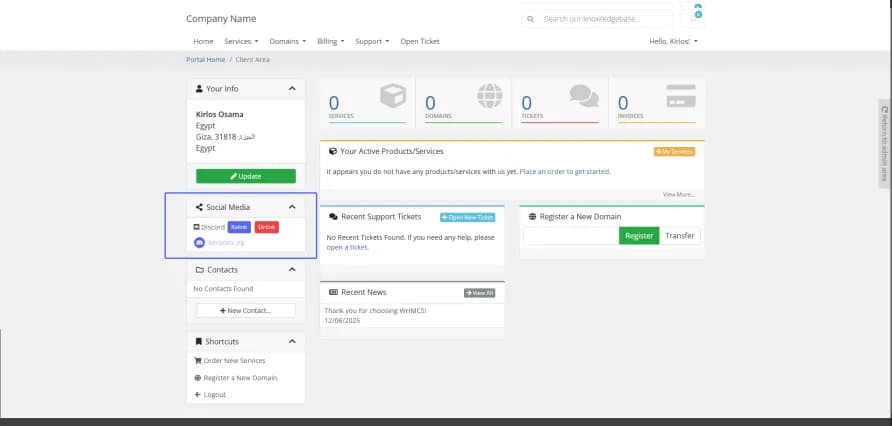
A commercial WHMCS module providing OAuth2 login, account linking, and Discord role synchronization — connect a WHMCS installation to a Discord community with automated role management.
Features
- Discord OAuth2 login — one-click Sign in with Discord for WHMCS clients
- User profile synchronization between Discord and the WHMCS account
- Automatic role sync based on active products and client status
- Admin dashboard inside the WHMCS admin area with customizable settings
- Optional auto-registration with a configurable default client group
- Secure OAuth2 flow (
identify+emailscopes) with token refresh and revocation handling - Ideal for game hosting, VPS providers, and communities selling through WHMCS
Installation Guide
1. Module installation
- Download the module files
- Upload the
discord_loginfolder to your WHMCS modules directory:/modules/addons/ - Go to WHMCS Admin Area → Setup → Addon Modules
- Find "Discord Login" and click Activate
- Click Configure to set up the module
2. Discord application setup
- Go to the Discord Developer Portal
- Click New Application and fill in the details — name it after your WHMCS site
- Open the OAuth2 section and add the redirect URL:
https://your-whmcs-domain.com/modules/addons/discord_login/public.php - Under Scopes, select
identifyandemail - Copy the Client ID and Client Secret
3. Module configuration
- In the WHMCS admin area, go to Addons → Discord Login
- Enter your Discord application's Client ID and Client Secret
- Configure the additional settings — auto-registration on/off, default client group, and profile sync options
- Save your settings